

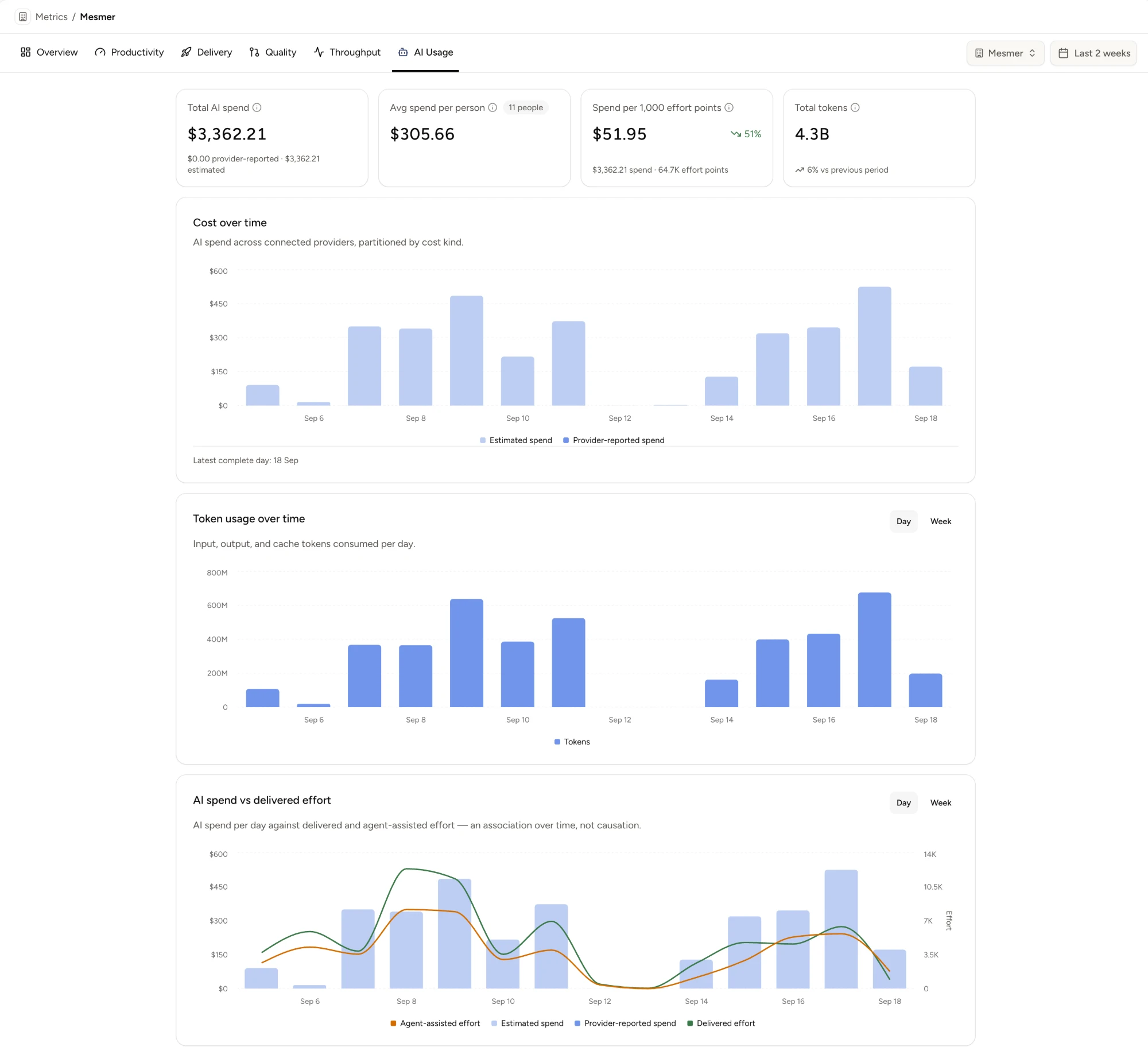
Mesmer now ingests coding-agent telemetry from Claude Code, and reports it in a new AI Usage tab on the Metrics page. It answers a question every engineering org is currently guessing at: what are the agents costing, and what are they getting us?
What the tab shows#
- Total AI spend, average spend per person, spend over delivered effort, and total tokens.
- Cost and token usage over time, broken out by cost kind.
- Top skills, and who's using each.
Everything is scope-driven like the rest of Metrics: the same numbers at organization, team, or single-person scope.
Connecting Claude Code#
Nothing to install, and nothing for your engineers to do. The AI Usage tab starts empty with a single Connect on the Claude Code card, and that's the whole entry point:
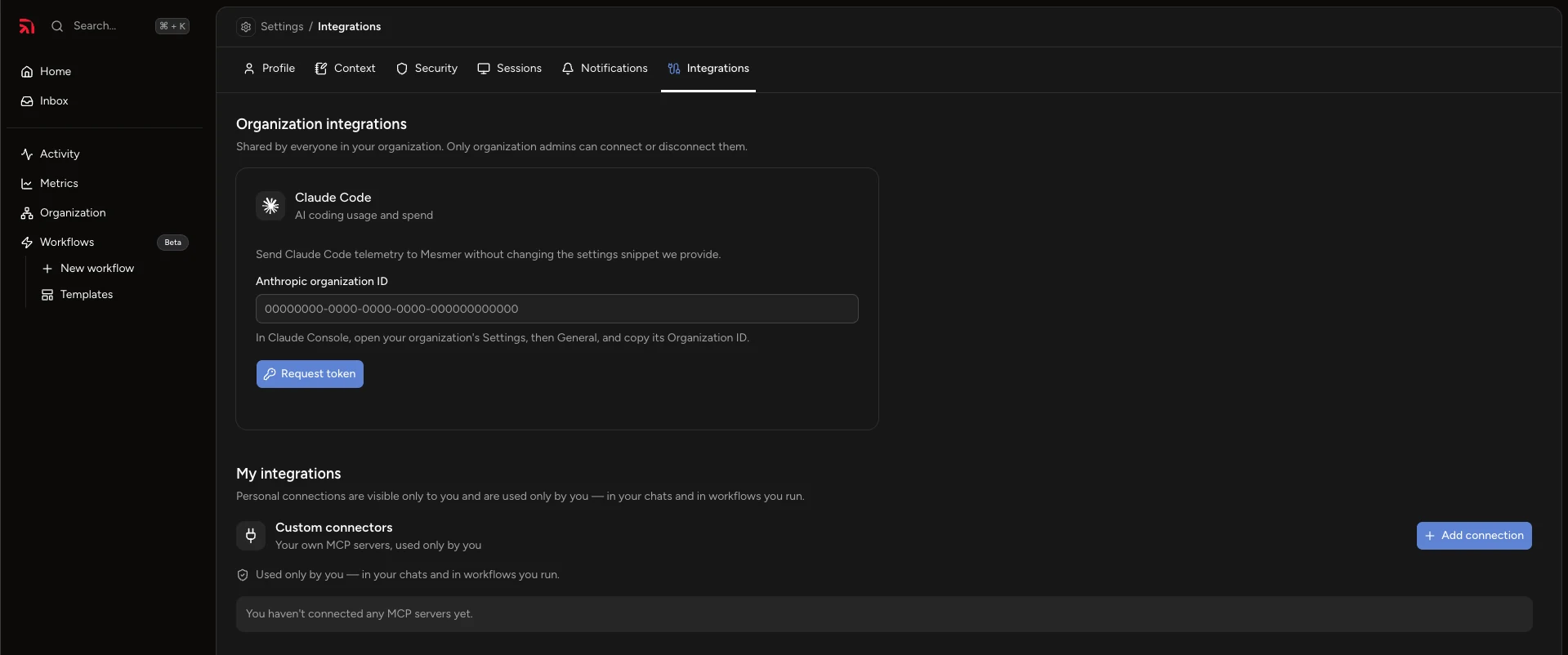
- Connect takes you to Settings → Integrations. Connecting is admin-only — the connection is shared by everyone in the org.
- Paste your Claude organization ID, which sits at the bottom of claude.ai/admin-settings/organization, and request a token.
- Mesmer hands back a configuration block. Paste it as-is into Managed Settings at claude.ai/admin-settings/claude-code — don't edit the snippet.
That's it. Managed Settings pushes the change out for you, and Claude Code may show each engineer a one-time notice that telemetry is being collected. Data starts landing on its own.